Canva AI is an integrated set of artificial intelligence tools within Canva that enhances the design and content creation process. It helps users generate visuals, write text, edit images, and create presentations with minimal effort. By combining design simplicity with AI-powered features, Canva AI makes it easy for individuals and teams to produce professional-quality content quickly, even without advanced design skills.
Overview
Canva AI is a suite of artificial intelligence tools встроенных в Canva, designed to simplify and enhance content creation. It allows users to generate text, create designs, edit images, and build presentations using AI-powered features within a single platform.
The tool is aimed at individuals, businesses, and teams who want to produce high-quality visual and written content without advanced technical or design skills. Canva AI combines ease of use with automation, helping users quickly turn ideas into polished graphics, social media posts, and marketing materials.
With features like Magic Write, image generation, background removal, and smart design suggestions, Canva AI streamlines the creative process and makes professional design more accessible.
How it Works
Canva AI, integrated into Canva, simplifies content creation by combining AI tools directly within its design interface. Users start by selecting a project—such as a social media post, presentation, or graphic—and can either use templates or begin from scratch.
They can then use AI features like Magic Write to generate text, text-to-image tools to create visuals, or smart design suggestions to automatically adjust layouts, colors, and elements. Users simply enter a prompt or idea, and the AI generates content based on it.
All generated content can be easily edited using Canva’s drag-and-drop editor, allowing users to customize designs, add branding, and refine details.
Once finished, users can download their designs or publish them directly to social media. Overall, Canva AI works as an intuitive, all-in-one tool that helps turn ideas into polished visuals and content with minimal effort.
Comparison
Canva AI is mainly focused on visual content creation, which makes it different from many AI tools that focus mostly on text. It combines design, writing, and media generation in one platform, while many competitors specialize in just one area.
Compared to Jasper, Canva AI is better for creating graphics and simple text within designs, while Jasper is stronger for long-form marketing content. In comparison with Copy.ai, Canva AI offers more design capabilities, whereas Copy.ai is better for quick text generation.
When compared to Adobe Express, Canva AI is more beginner-friendly and easier to use, while Adobe provides more advanced and professional design tools.
Overall, Canva AI is ideal for users who want a simple, all-in-one tool for creating visual content, while other platforms are better suited for specialized writing or advanced design tasks.
Features
Canva AI includes a variety of tools that make content creation easier and faster. One of its main features is AI writing (Magic Write), which helps users generate, edit, and improve text based on simple prompts.
It also offers image and media generation, allowing users to create visuals from text descriptions. In addition, there are AI editing tools for photos, such as background removal, object editing, and quick enhancements.
The platform provides smart design suggestions, automatically improving layouts, colors, and elements to create better-looking designs. Features like Magic Resize and style matching help adapt content to different formats while keeping branding consistent.
Canva AI also supports video creation and multi-format content, making it possible to design different types of media in one place. Overall, it combines writing, design, and editing tools into a single, easy-to-use platform.
Use cases
Canva AI can be used in many different scenarios for creating visual and written content. Individuals and small businesses can use it to design social media posts, presentations, and marketing materials quickly without needing professional design skills.
Marketers and content creators can generate graphics, captions, and videos for campaigns, helping them maintain a consistent and engaging online presence. It’s especially useful for creating content at scale across different platforms.
Businesses and teams can use Canva AI for branding and internal communication, such as creating reports, pitch decks, and visual documents while keeping designs consistent.
Educators and students can use it to build presentations, infographics, and learning materials more efficiently.
Overall, Canva AI is ideal for anyone who needs to create high-quality visual content quickly and easily, whether for marketing, education, or everyday use.
Price
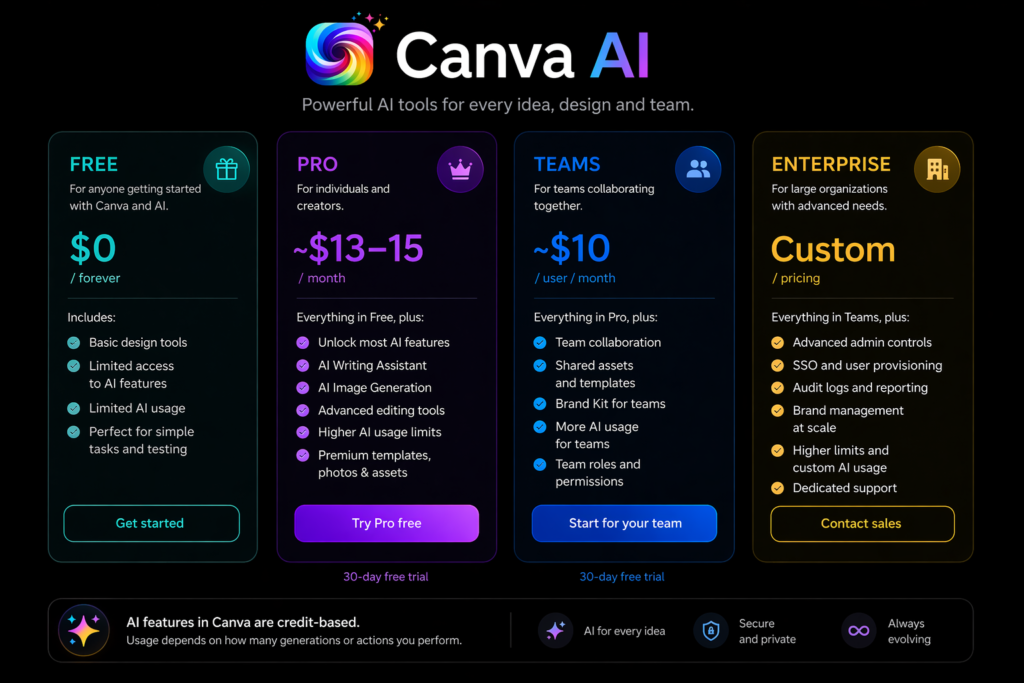
Canva AI is part of Canva’s overall pricing system, which includes both free and paid plans.
- Free plan – Offers basic features and limited access to AI tools, suitable for simple tasks and testing.
- Canva Pro (~$13–15/month) – Unlocks most AI features, including writing, image generation, and advanced editing tools, with higher usage limits.
- Canva Teams (~$10/user/month) – Adds collaboration features, shared assets, and more AI usage for teams.
- Enterprise (custom pricing) – Designed for large organizations with advanced controls and higher limits.
AI features in Canva are usually credit-based, meaning usage depends on how many generations or actions you perform.
Overall, Canva AI is accessible on all plans, but the full experience is available in paid versions with higher limits and more features.
Final Verdict
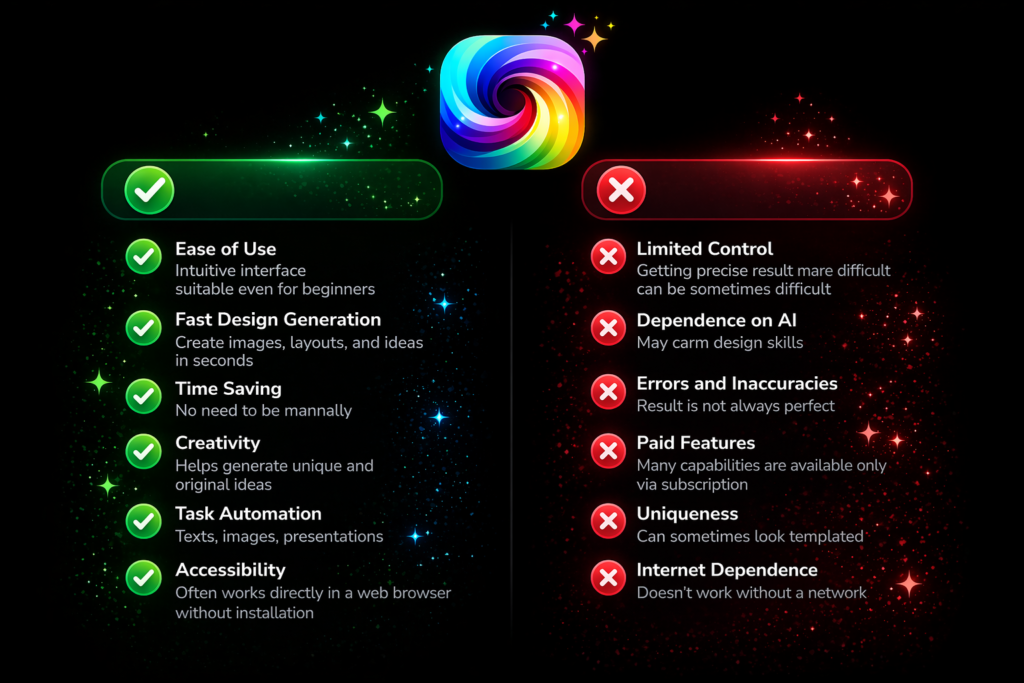
Canva AI is a convenient and easy-to-use tool that helps users create visual and written content quickly. Its main strength is combining design, text generation, and editing features in one platform, making the whole process faster and more efficient.
It’s especially useful for beginners, small businesses, and marketers who need to produce content regularly without advanced design skills. The large template library and automation features make it simple to create professional-looking results.
However, the output can sometimes feel basic or template-like, and it may not be suitable for more advanced or highly customized design work. Some features are also limited to paid plans.
Overall, Canva AI is a great option for quick and simple content creation, but it may not fully replace professional design tools for complex projects.